
Quiver · e-ink by the shoe rack
Know your running shoes.
Right on the shoe rack.
Pick the views you want in the Quiver app, and send them to an e-ink screen on the shoe rack. Distance per pair, your week and your latest runs, just as you choose which shoes to wear. The screen runs for years on one battery.
You log runs and shoes in Strava. Quiver gets them from there.
How it fits together
From your run.
To the shoe rack.
-
01 · Your runs
You run as before
Quiver gets runs and shoes from Strava. Add your shoes under Gear in Strava and pick the shoes on each activity, and the numbers add up.
-
02 · The app
Quiver makes the views
The app fetches your runs and shoes automatically and turns them into views. You choose which ones, and what they show.
-
03 · The shoe rack
Send them to the screen
Tap “Change screens” on a view and pick the screen in the hallway. It updates itself after you have run.
The views
Four views.
In the app and on the screen.
Each view looks the same on Home in the app and on the e-ink screen. Add the ones you want, and send each of them to one or more screens.
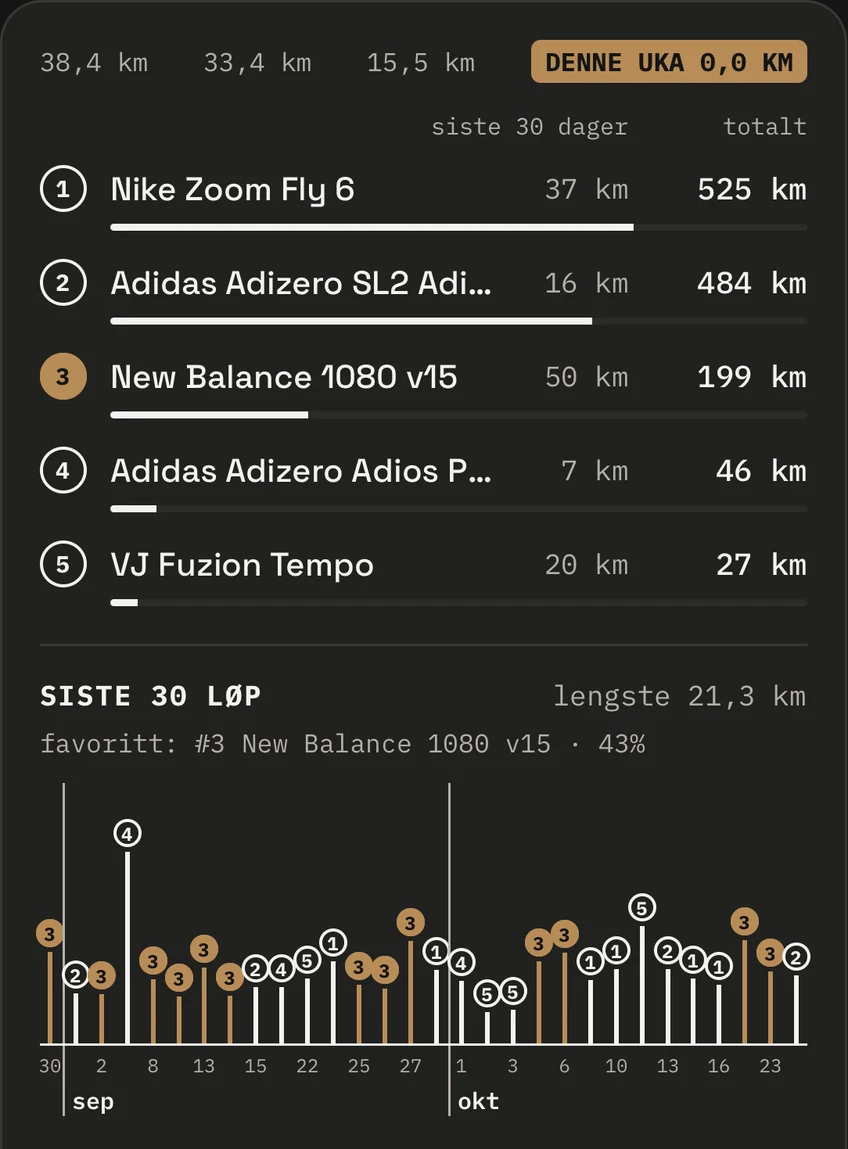
Shoe Rack
Every pair.
Every kilometre.
Distance over the last 30 days and in total for each pair, with a bar that fills up towards the limit you have set. At the top: the weeks behind you, and how far you have run this week.
Below are the last 30 runs, marked with the shoe you ran in. So you see whether you rotate the way you think, or whether the same pair takes every run.
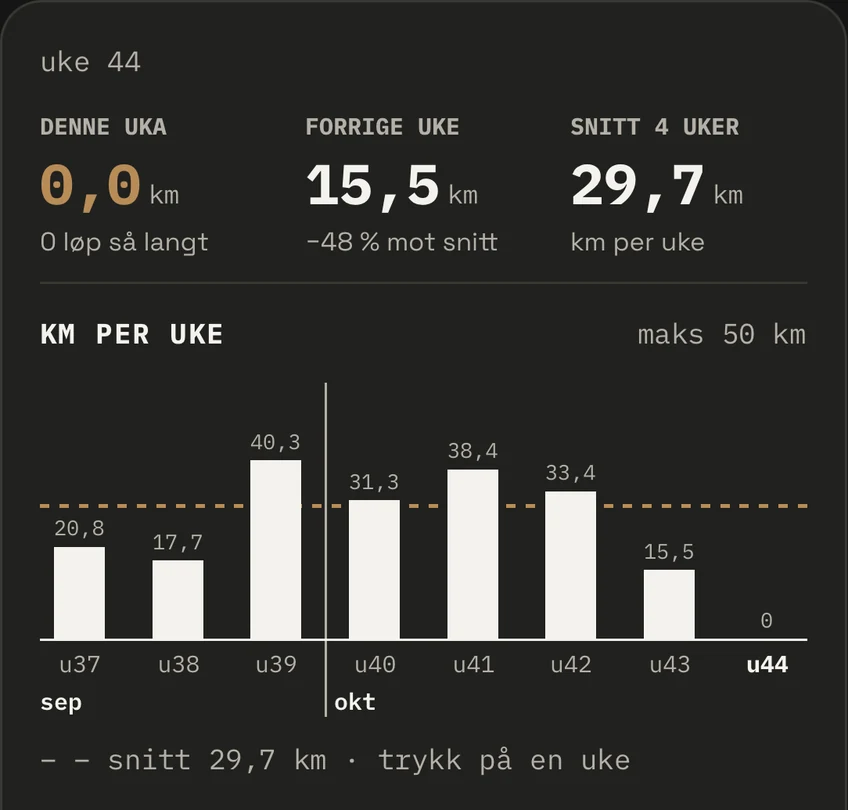
Weekly Summary
Your week, at a glance.
This week, last week and the average of the last four weeks. The bars show the distance per week with the average as a dashed line, so you see whether the week turns out easy or hard before you have decided.
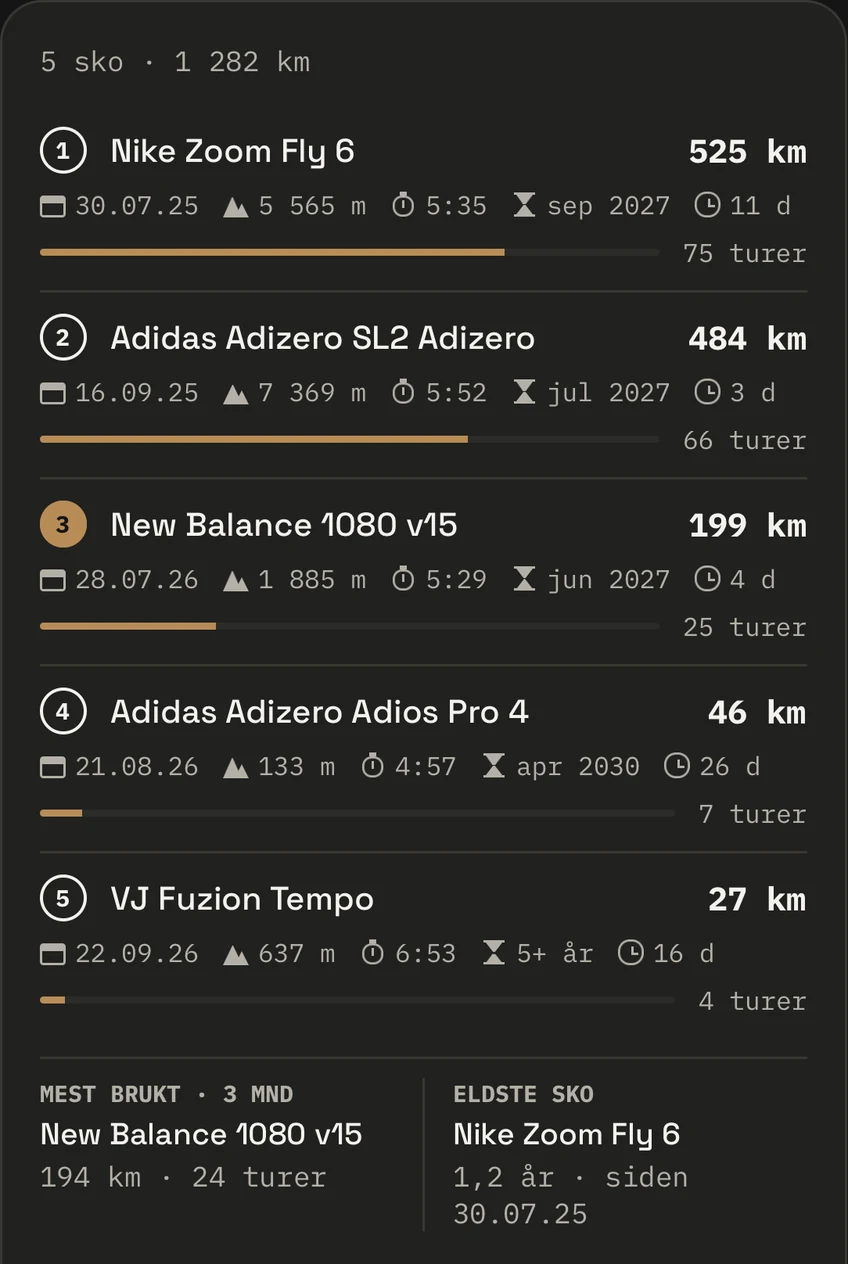
Shoe History
The whole life of each pair.
When you started using the shoe, elevation gain, average pace, number of runs and how long since it was last out. The bar shows the wear, and Quiver works out when the pair should retire at the rate you use it now.
At the bottom: the shoe you have used most over the last three months, and the oldest one.
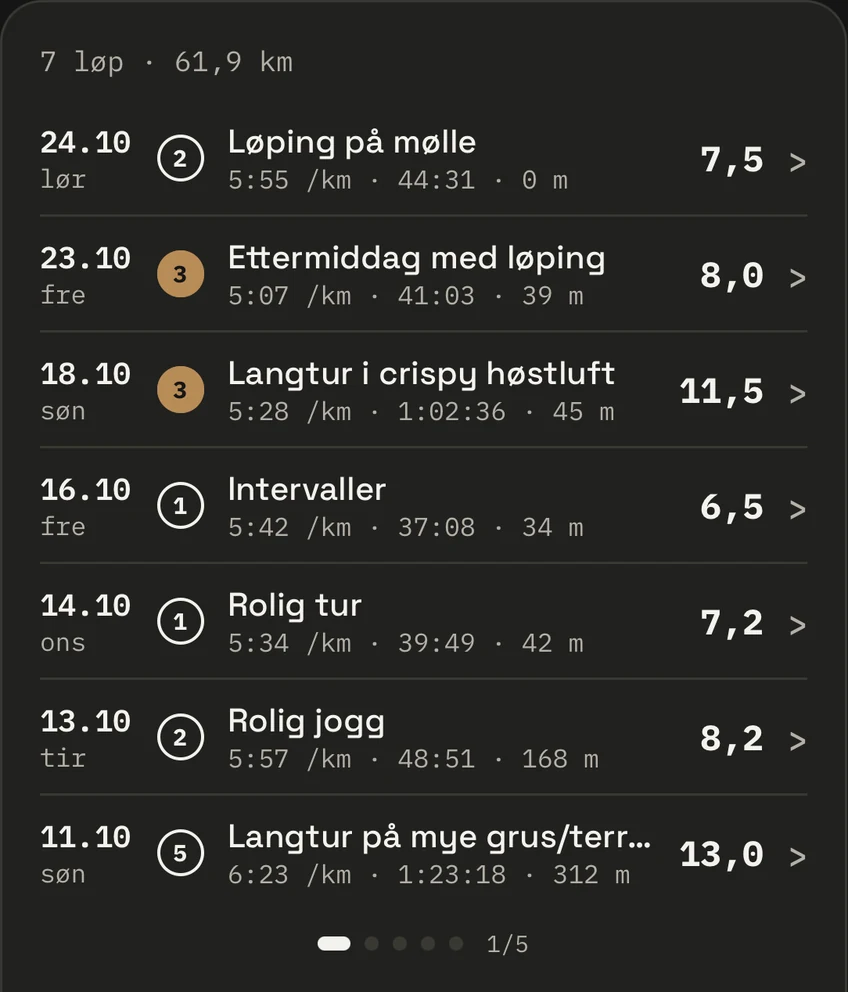
Recent Runs
Which shoe. Which run.
Your latest runs with distance, pace, time and elevation gain, and the number of the shoe you ran in. Page on for older runs. Intervals in the light pair, easy runs in the soft one: your rotation shows, session by session.
In the app: shoe by shoe
Every pair has its job.
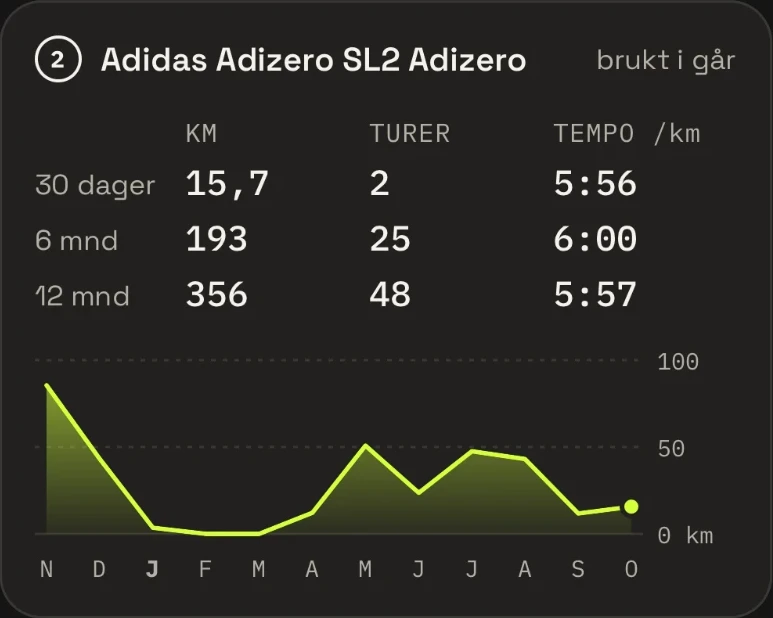
Distance, runs and average pace per shoe, over the last 30 days, 6 months and 12 months. The curve shows when the pair was in use. Your racing shoes stand apart from your training shoes, and now you see it in the numbers.
E-ink by the shoe rack
No app to open.
Just look down.
The numbers matter most when you are in the hallway choosing a pair. The screen always shows up-to-date distances, with no notifications, no screen time and no charging. E-ink keeps the picture without power, so the screen runs for years on one battery.
Years
on one battery. The screen sleeps between updates and only uses power when something has changed.
Always on
E-ink keeps the picture without power. The overview stays there, even while the screen sleeps.
5 min–24 h
You choose how often the screen checks. Without new runs it leaves the panel alone.
Open source
The firmware is open. Build your own screen from parts you can buy today.
Where the data comes from
You run.
Quiver keeps the books.
Quiver has no log of its own. Your activities and shoes are kept in Strava, and Quiver reads them from there. You connect your Strava account in the app, and without it there is nothing to show.
- Activities
- The runs you log in Strava, from your watch or your phone. Distance, time, pace and elevation gain come from there.
- Shoes
- The shoes you have added under Gear in Strava. Pick the right shoes on each activity, and the distances add up.
- Fixing a mistake
- Wrong shoes on a run, or a new pair? Change it in Strava, and the app and the screen follow.
- Read-only
- Quiver never writes anything back to Strava. If you disconnect, we delete the Strava data right away.
Build your own.
An ESP32 board, a Waveshare panel and an afternoon. And your shoe rack has a screen of its own.
To the build guide